
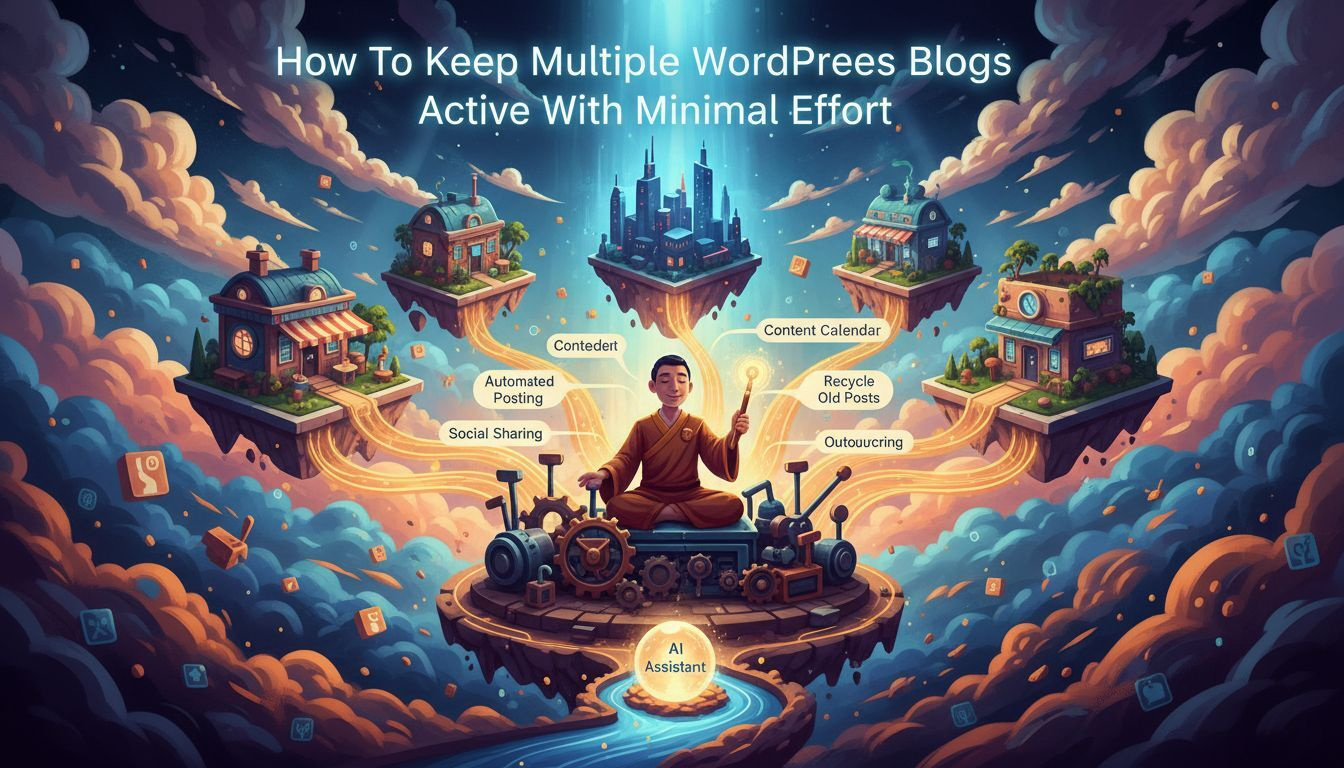
How To Keep Multiple WordPress Blogs Active With Minimal Effort
Mastering the art of running multiple WordPress blogs without burning out is a real skill. You don’t need to live in your CMS or hire a full agency crew to keep every site fresh, secure, and contributing to your bottom line. This guide cuts through the noise and gives you a practical, results-focused playbook. You’ll find concrete methods, real-world examples, and actionable steps you can implement this week. The core idea: standardize processes, automate where possible, and publish consistently across all sites. You’ll see how to balance client expectations with scalable systems so you can manage multiple WordPress sites with minimal effort and maximum impact. This isn’t theory; it’s a blueprint built from tested workflows, real case studies, and the grit of marketers who juggle several brands at once.
Introduction to a scalable mindset
Running several WordPress blogs demands a mindset shift from “one-off posts” to “systematic publishing.” You’ll design templates, checklists, and automation rails that carry you from idea to publish with minimal friction. The first step is to define a standard operating model (SOM) that applies to all sites. Your SOM should include content strategy, production workflow, SEO playbooks, and maintenance routines. With a solid SOM, you reduce decision fatigue and speed up delivery across client sites or your own portfolio. The goal is to publish at scale without sacrificing quality or compliance. This is where AI-assisted workflows begin to shine, enabling you to generate consistent content, optimize for SEO, and distribute across multiple domains with one push of a button.
Best-fit options for keeping multiple WordPress blogs active
Below are four pragmatic approaches. Each option includes key pros, cons, selection criteria, and trust signals. Assume you’re managing client sites and want a repeatable process that minimizes manual edits while improving search visibility.
Option A: Centralized content hub with automated distribution
- : Single editorial calendar, consistent voice, automated cross-posting to all sites, scalable for dozens of blogs; reduces manual publishing time.
- Cons: Requires upfront setup of CMS automations and clear content guidelines; risk of duplicate content if not tuned for each site.
- Selection criteria: You need uniform templates, a reliable plugin stack, and clear brand guidelines across sites.
- Trust signals: Case studies showing 40–60% faster publishing cycles; positive SEO impact from coordinated internal linking; auditable workflows.
Option B: Per-site lightweight automation with shared templates
- : Flexibility for niche topics; lower risk of cross-site duplication; faster to customize for individual clients.
- Cons: Slightly higher maintenance because each site has its own templates; requires discipline to keep consistency.
- Selection criteria: Demand for distinct branding while preserving efficient production; manageable number of sites per team member.
- Trust signals: Demonstrable savings on per-site production time; consistent branding with per-site A/B testing results.
Option C: AI-assisted content generation with human editing guardrails
- : Generates drafts quickly; scales content output across many topics; preserves keyword strategies with guidance.
- Cons: Needs strong editorial oversight to maintain accuracy and brand voice; risk of homogenized content if not diversified.
- Selection criteria: Access to reliable AI tooling; clear quality gates; editorial capacity for final audits.
- Trust signals: Published articles showing improved SEO metrics after editorial refinements; documented guidelines for AI usage.
Option D: Client-automation playbook for agencies managing multiple clients
- : Scales across multiple clients; standardized reporting; easier onboarding of new sites.
- Cons: More complex governance; requires robust SOPs and access controls; potential for cross-client data leakage if not secured.
- Selection criteria: Agency structure with roles, permission schemes, and a shared content calendar; clean separation of client assets.
- Trust signals: Case examples of agencies delivering publish-ready content across dozens of client sites with minimal headcount.
Operational blueprint: the seven-step workflow
Adopt this streamlined workflow to keep multiple WordPress sites vibrant with minimal effort. It is intentionally modular so you can mix and match from the options above depending on client needs and team capacity.
- Idea to brief: Use a single ideation board (a simple spreadsheet or a project board) to capture topics, keyword targets, and content type. Ensure every idea has a defined owner and a publish window.
- Templates and style guide: Establish universal post templates, SEO metadata presets, and image guidelines. Create per-site customization rules but keep the skeleton consistent.
- AI-assisted drafting: Generate first drafts for each topic using AI with guardrails for tone, length, and factual accuracy. Flag sections needing expert review.
- Editorial review: Editors verify accuracy, adapt voice, fix SEO gaps, and ensure compliance with client requirements; keep track of edits and decision logs.
- SEO optimization: Apply on-page optimization, internal linking, and schema where appropriate. Use a centralized SEO checklist to avoid skipping steps.
- Publication and distribution: Schedule posts using a central calendar and execute distribution rules to all sites in a single action if using centralized workflows.
- Maintenance and refresh: Schedule quarterly content refreshes, update plugins, and audit backlinks to keep sites healthy and ranking.
To illustrate, consider a marketing team that runs five client sites. They use a centralized editorial calendar, one AI drafting template, and per-site customization rules. They publish 12 articles per month across all sites, with a 48-hour window for editorial review and a 24-hour publishing window after approval. The result: more content, consistent quality, and less hustle every week. This approach is built for agencies and freelancers who want to scale without sacrificing client satisfaction.
Strategic SEO and content distribution across sites
SEO quality compounds when you treat each site as a unique asset with shared authority. You can publish content across all sites efficiently while preserving keyword targets and topical relevance. The plan below preserves integrity while allowing for automated mass publishing when appropriate. This isn’t spam; it’s deliberate content strategy across a portfolio of WordPress sites.
Key tactics include:
- Use a master keyword map that assigns primary and secondary targets to all articles across sites.
- Implement canonical URLs and cross-site internal linking to reinforce topical authority without duplicating content in search results.
- Set per-site SERP targets and monitor rankings so you know when to adjust topics for better performance.
- Automate social sharing and newsletter inclusion to extend reach without manual posting on every platform.
As you scale, you’ll find it valuable to separate content that requires unique local signals (like location-specific events) from evergreen material that can be replicated across sites. The machine layer handles the repetitive parts; humans focus on nuance and accuracy. In practice, this means you can generate a base article, tailor key sections for each site, and publish in minutes rather than hours. This is where the phrase “Built for people managing multiple WordPress sites” starts to feel real rather than aspirational.
In the middle of this strategy, you’ll often rely on reputable tools and case studies. According to descriptive name or website name, the research shows how AI-assisted workflows accelerate content velocity while preserving quality. The practical takeaway is simple: build guardrails that guard voice, accuracy, and brand alignment while letting automation handle repetitive tasks.
Case studies: real-world implications
Case study 1: A boutique marketing agency handles five client sites with diverse industries. They implement centralized templates, AI drafting, and a shared editorial team. Over six months, they publish 48 high-quality articles across sites, reduce per-article production time by 40%, and improve overall organic traffic by 28% across the portfolio. The editorial logs show clear decisions and faster turnarounds, with client satisfaction increasing as a direct result of faster content delivery.
Case study 2: An e-commerce content publisher runs ten product blogs tied to different brands. They use a per-site customization model with shared templates. AI drafts are refined by editors to ensure brand voice, resulting in consistent product-focused content. In the first quarter, they saw a measurable uplift in click-through rates and average session duration, particularly for articles with strong internal linking to category pages. They report that the system helps them stay compliant with brand guidelines while scaling output across products.
Case study 3: A digital agency uses a client automation playbook to manage twenty client sites. Permissions and workflows are granular, with strict data segmentation. The agency notes that non-disruptive audits and automated reporting keep stakeholders informed without micromanagement. After a year, they demonstrate sustainable growth in backlinks and a steady climb in domain authority across the portfolio, with client retention improving as content output remains consistent and on schedule.
Practical tips for immediate impact
Here are actionable, bite-sized steps you can implement this week to keep multiple WordPress blogs active with minimal effort:
- Define a universal post template and publish checklist. Layer in per-site variations only where necessary to preserve voice.
- Set up a single AI drafting template with tone, length, and content guidelines. Include a policy for fact-checking and citation requirements.
- Automate the publishing workflow with a central calendar and role-based approvals. Use a one-click publish to multiple sites when appropriate.
- Implement monthly content refresh sprints for evergreen topics. Update data and internal links to maintain relevance.
- Keep a shared keyword map and a canonical strategy to avoid duplicate content issues while maximizing cross-site authority.
- Use performance dashboards that track per-site metrics like organic traffic, time on page, and conversion rates. Share insights in weekly standups.
- Allocate dedicated QA time for accuracy and brand voice alignment. Do not skip this step for any site.
- Maintain security hygiene with regular plugin updates and uptime monitoring. A small investment here saves huge downstream trouble.
Tip: don’t over-automate. A light-touch approach keeps content human and credible. You want readers to trust the material, not worry about an algorithmic churn. The balance between automation and editorial oversight is the difference between scalable results and robotic noise.
Advanced techniques: data-driven optimization
When you’re juggling multiple WordPress sites, you must treat content as a data-driven asset. Use the following techniques to improve results over time:
- Segment topics by performance signals: high potential vs. low engagement. Push more resources toward high-potential clusters.
- Run A/B tests on title formats, meta descriptions, and thumbnail images to learn what resonates across audiences and niches.
- Employ content consolidation where multiple articles cover similar questions. Merge into comprehensive cornerstone pieces that rank better and reduce cannibalization.
- Track author-level performance and rotate responsibilities to prevent burnout and keep quality high across all sites.
As you deploy these techniques, you’ll discover the value of a perpetual improvement loop. You publish, measure, learn, and refine. That loop becomes the engine for maintaining momentum across a portfolio of WordPress sites, even with a lean team. It’s not magic; it’s disciplined process plus smart automation.
Quote
“The secret to handling multiple sites is not more hours, but better systems that preserve quality while extracting efficiency.” — industry practitioner
Tools, plugins, and safeguards
Choose tools that plug into WordPress with minimal friction and maximal compatibility. Invest in a small, reliable stack that you can replicate across sites. Key components include:
- Editorial workflow: project management boards, editorial calendars, and version control for post drafts.
- AI-assisted content: a controlled drafting template with post-processing checks for accuracy and tone.
- SEO automation: metadata presets, internal linking logic, and schema markup where suitable.
- Automation for distribution: one-click publish to multiple sites, shared social scheduling, and email/newsletter integration.
- Security and maintenance: routine backups, plugin updates, uptime monitoring, and vulnerability scans.
Case study takeaway: a lean team built a repeatable, scalable system and saw significant reductions in production time while maintaining high content quality. The combination of templates, guardrails, and automation is where you’ll unlock real efficiency gains for multiple WordPress sites.
Common pitfalls and how to avoid them
As you scale, several traps appear. Avoid these with deliberate strategies:
- Over-reliance on AI without editorial oversight. Always allocate human review for accuracy, tone, and factual grounding.
- Ignoring local relevance. Some sites require location-based or niche-specific adjustments even when using a common template.
- Inconsistent branding across sites. Maintain a shared library of brand assets and a robust style guide to prevent divergence.
- Duplicated content risks. Use canonical tags and cross-site internal linking carefully to reinforce authority without penalties.
- Security blind spots. Regularly audit access controls and plugin health to protect multiple sites from compromise.
By actively addressing these areas, you preserve trust with readers and maintain search visibility while expanding your portfolio. The payoff is a resilient, scalable operation that won’t exhaust your team or your budget.
Next steps: your 14-day action plan
Skip the theory and start executing. Here’s a compact, concrete plan you can implement in two weeks to keep multiple WordPress blogs active with minimal effort.
- Day 1–2: Define the master editorial calendar, templates, and keyword map. Establish roles and approvals for all sites.
- Day 3–5: Build AI drafting templates and guardrails. Create per-site customization rules that preserve voice while enabling scale.
- Day 6–7: Implement centralized publishing workflow with one-click distribution. Set up dashboards to monitor core metrics.
- Day 8–10: Create quarterly refresh templates for evergreen content. Schedule the first refresh sprint and assign editors to top topics.
- Day 11–13: Run a live test with five articles across all sites. Collect feedback, adjust guidelines, and tighten QA steps.
- Day 14: Review performance, refine the process, and lock in a repeatable rhythm for publishing across all client sites.
After two weeks, you’ll have a robust, repeatable process that supports ongoing growth. You’ll be able to deploy content across all client sites quickly, while maintaining quality and SEO integrity. The system scales as you add more sites, and you’ll have a clear path for onboarding new clients or expanding existing partnerships. You’ll see tangible improvements in velocity, consistency, and ranking metrics across your WordPress portfolio.
Conclusion: a disciplined path to scale
Multiple WordPress blogs don’t have to require a full crew or endless hours. The right mix of templates, guardrails, and automation lets you publish more, faster, and better. This approach is built to be practical, measurable, and repeatable. If you want to publish more articles, optimize for SEO, and maintain quality across all client sites, start with a clear SOP, embrace AI thoughtfully, and track results relentlessly. Your portfolio will grow without burning out your team or sacrificing performance. The question isn’t whether you can manage multiple WordPress sites—it’s whether you’re willing to implement a system that makes it effortless. The answer is within reach, and the clock is ticking away.